Welcome to Cinderbit
Cinderbit is a private Matrix server for Moroccans. Think of it like Discord or WhatsApp, but on our own server.
Follow the steps below to create your account and start chatting.
Step 1: Copy the registration token
You'll need this token during sign-up. Just copy it and paste it when asked.
Step 2: Create your account
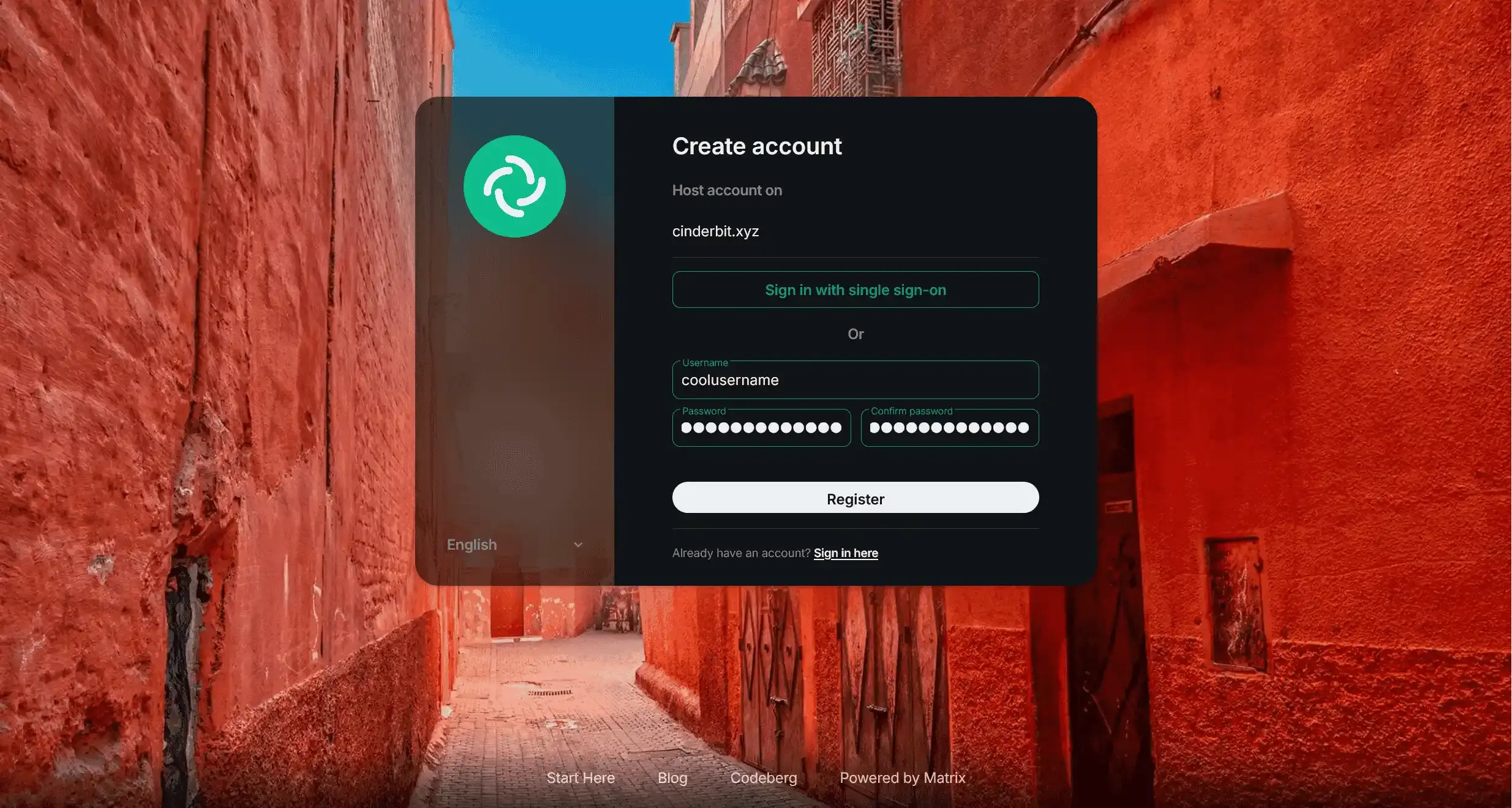
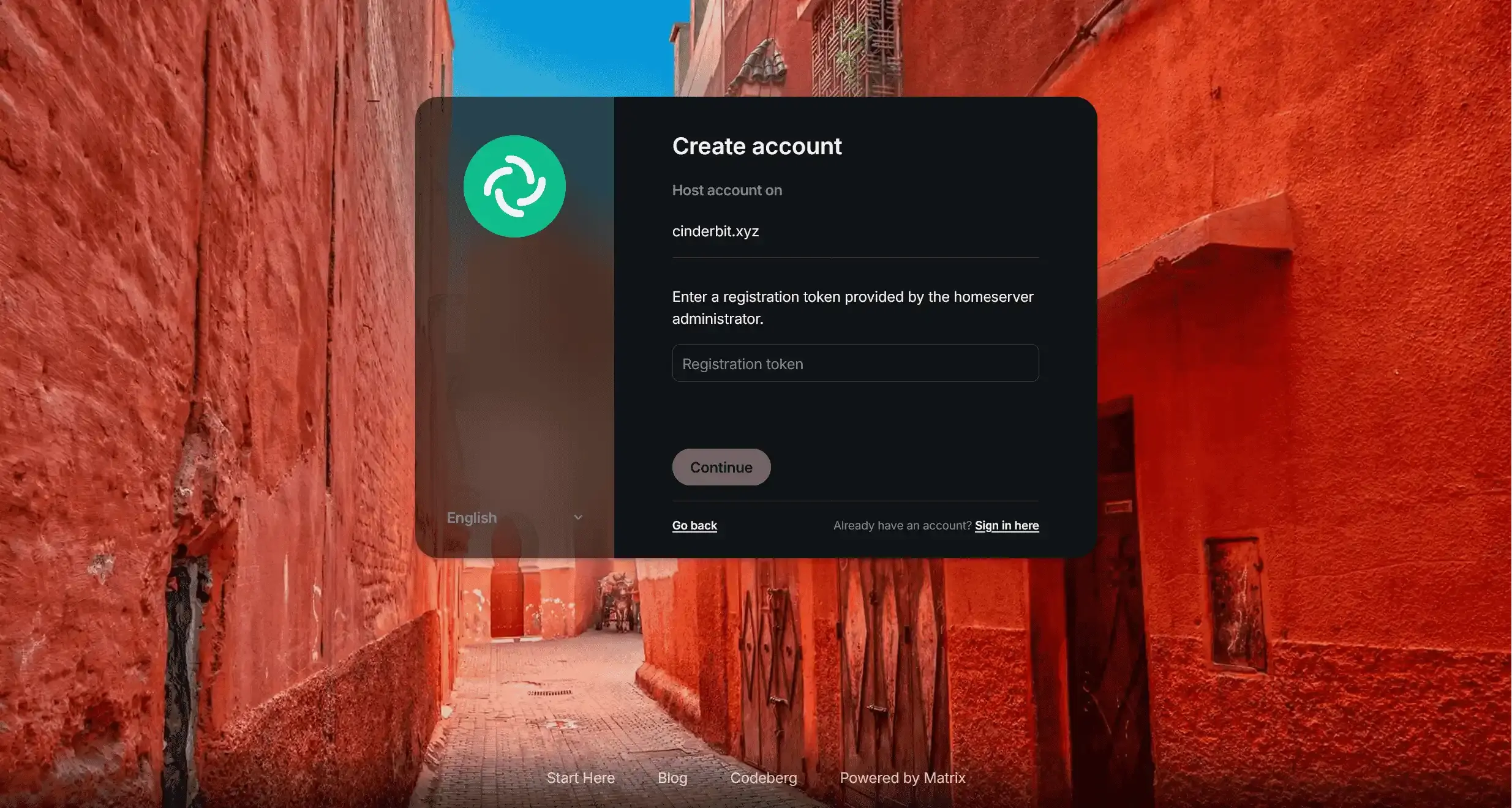
Click the button below to open the registration page. Fill in a username, password, and paste the token from Step 1.
Create Accounthttps://element.cinderbit.xyz/#/register
Step 3: Follow the screenshots
Here's what the registration page looks like. Just follow along:
Done!
Once registered, you'll be logged in automatically and you can start chatting right away in your browser.
You can also download the Element desktop app. Important: Change the server to cinderbit.xyz before logging in.
How to Join on Mobile
Step 1: Create your account
Signing up directly in the app doesn't work. You need to register on the website first. Don't worry, it only takes a minute.
Sign Up on the Websitehttps://element.cinderbit.xyz/#/register
You'll be asked for a registration token during sign-up. Copy the token below and paste it when asked:
Step 2: Download the app
Element X is the app you'll use to chat. Think of it like WhatsApp, but for our community. Download it here:
Step 3: Log in on the app
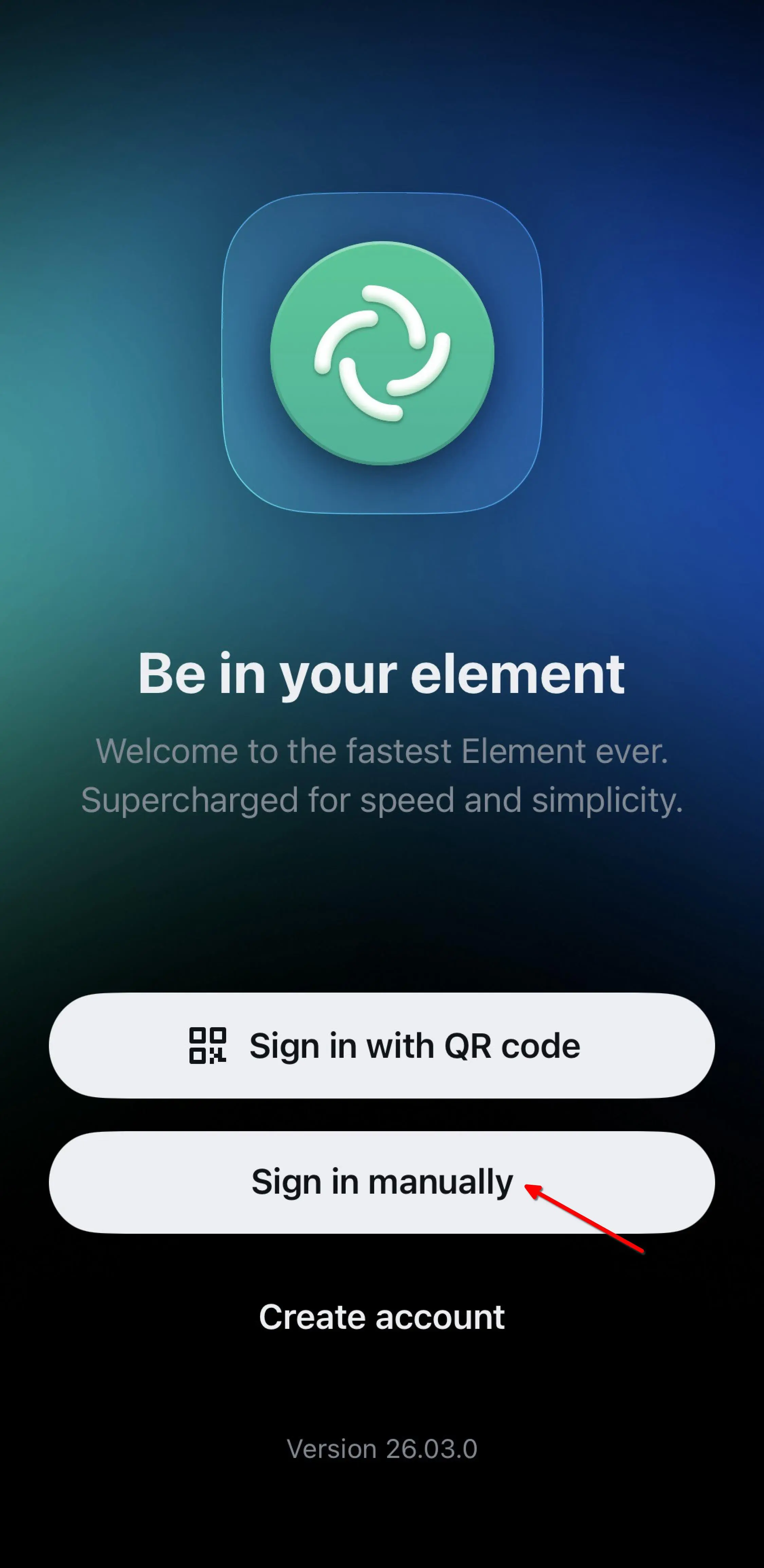
Open the app and follow these steps:
- Tap Sign in manually (this just means you'll enter our server details yourself).
- Tap Change account provider at the bottom (this lets you point the app to our server instead of the default one).
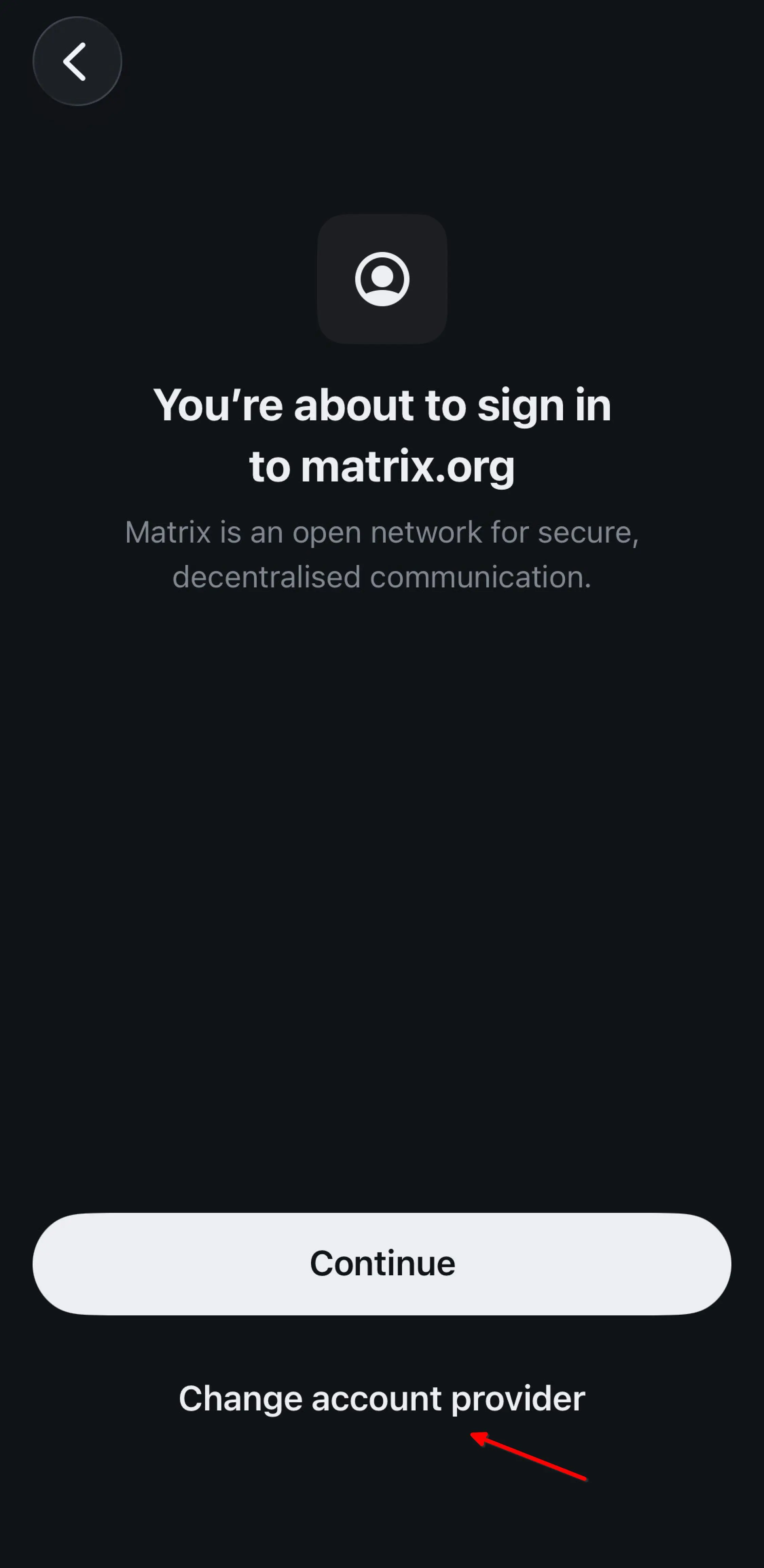
- Type
cinderbit.xyzin the box and tap Continue. This tells the app where our server is.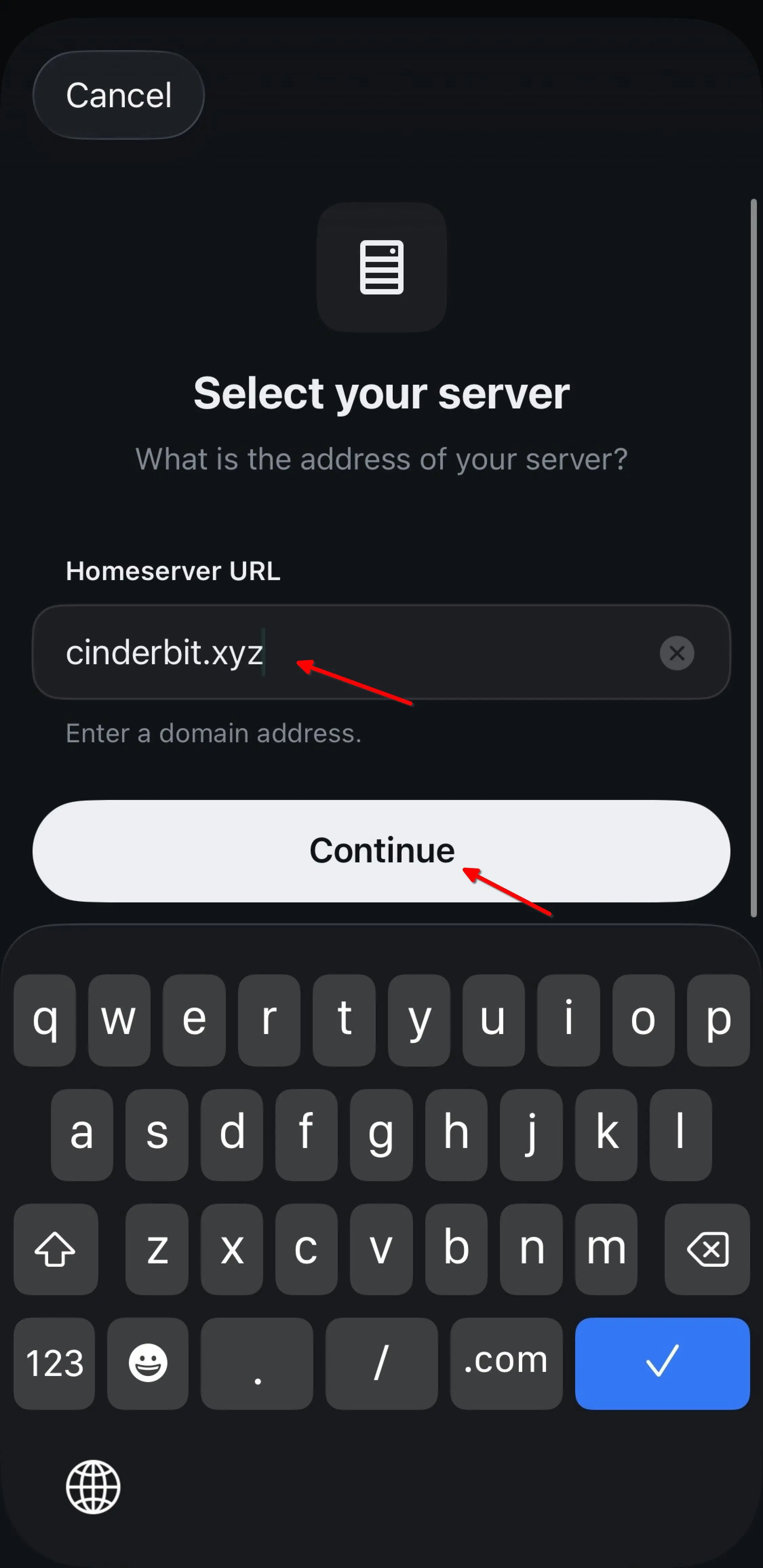
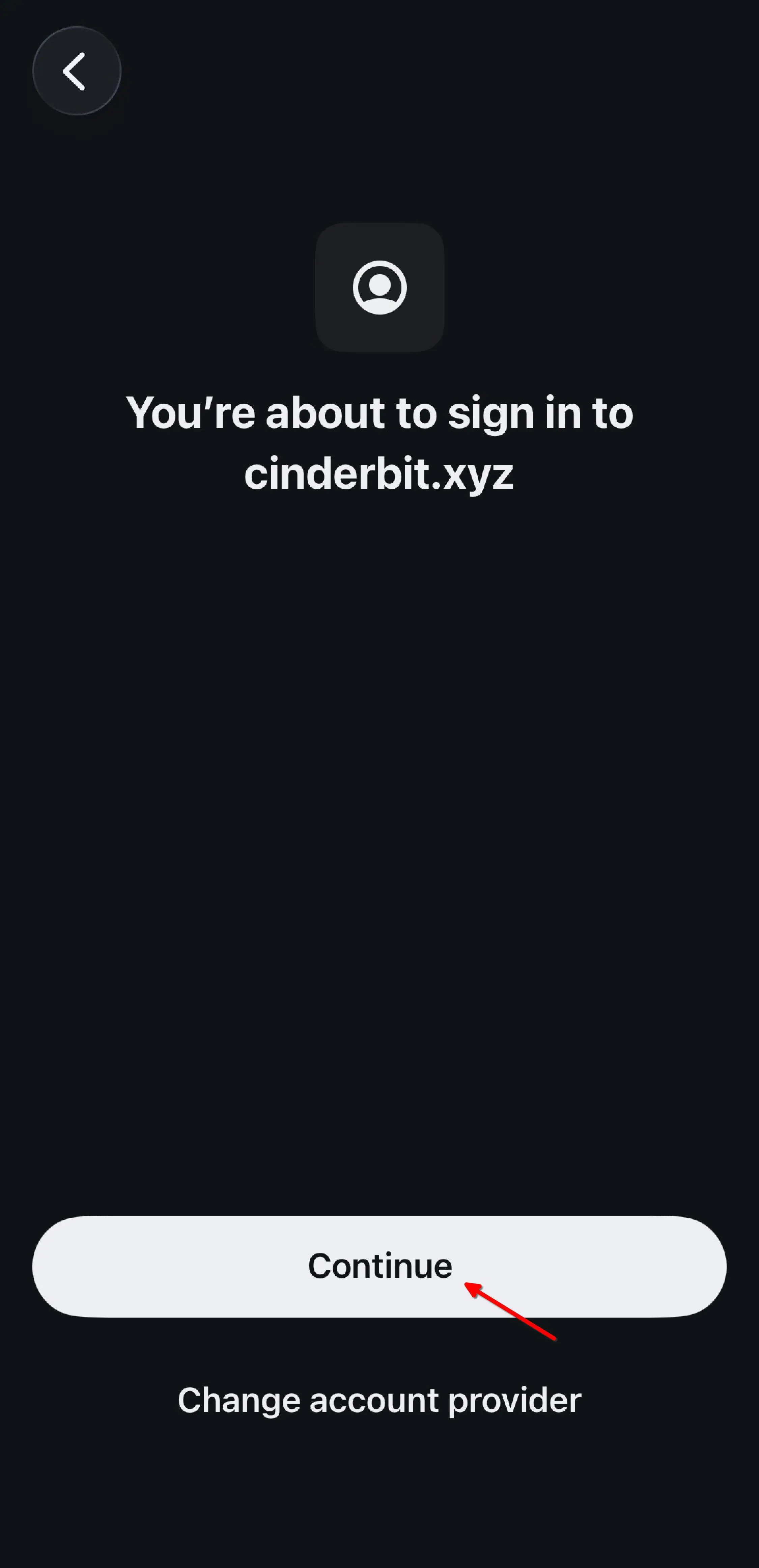
- You'll see a confirmation screen showing cinderbit.xyz. Just tap Continue.
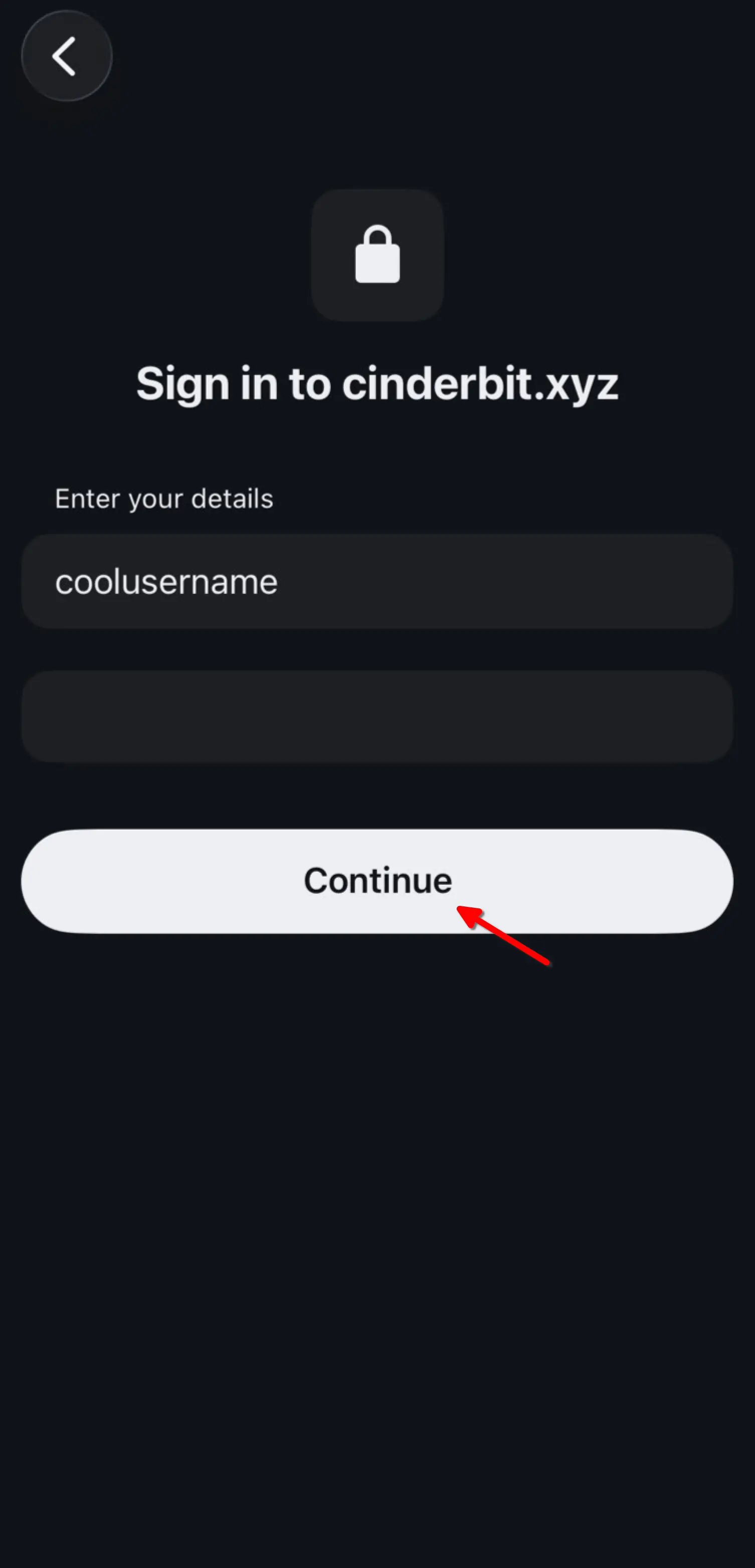
- Enter the username and password you created in Step 1, then tap Continue. That's it, you're in!
Common Questions
What is Matrix?
Think of it like email: anyone can run their own server, and they all talk to each other. All messages are end-to-end encrypted, so only you and the people you're talking to can read them. Element is the app you use to connect, like Gmail is an app for email.
Why do I need a registration token?
The token keeps our community private. It ensures only people we've invited can join.
Why not just use Discord or WhatsApp?
Those platforms spy on your messages, control your data, and can ban your community at any time. With Cinderbit, we own the server. Our conversations stay private and nobody can shut us down.
Can I use this on my phone?
Yes! Download Element X for your phone:
Open the app, tap Sign in manually, change the server to cinderbit.xyz, and log in with the account you just created.
Can I use this on my computer?
Yes! Go to element.cinderbit.xyz in your browser and log in. You can also download the Element desktop app. Just make sure to change the server to cinderbit.xyz before logging in.